Back to products

Our powerful and very safe Toshi Internal has now been released.
- Windows 10 & 11 Supported (also 25H2)
- Use our Instructions from Fix Guide
- SVM [AMD] / VT-X [INTEL] (BIOS) enabled.
- 16GB RAM (or more).
- Hyper v disabled for AMD CPU only.
- Hyper v enabled for INTEL CPU only.
- Firmware in UEFI mode only for INTEL CPU.
- The system use GPT format disk only for INTEL CPU.
Secure Boot disabled.
All Purchases are final:
- We do not issue refunds after purchase
- know what you buy - before buying!
- - Enable Aimbot with optional aim key
- - Adjustable aim-key delay
- - Magic Bullet toggle
- - Five target-priority modes
- - Target bone selection and bone scan
- - Stick-to-target control
- - Non-visible target selection
- - Maximum target distance
- - Movement prediction
- - Basic Smooth, Balanced and Aggressive profiles
- - Basic strength and Humanized controls
- - Advanced aim speed and assist strength
- - Bezier curve points, random factor and endpoint noise
- - Aim-path and assist-point visualizer
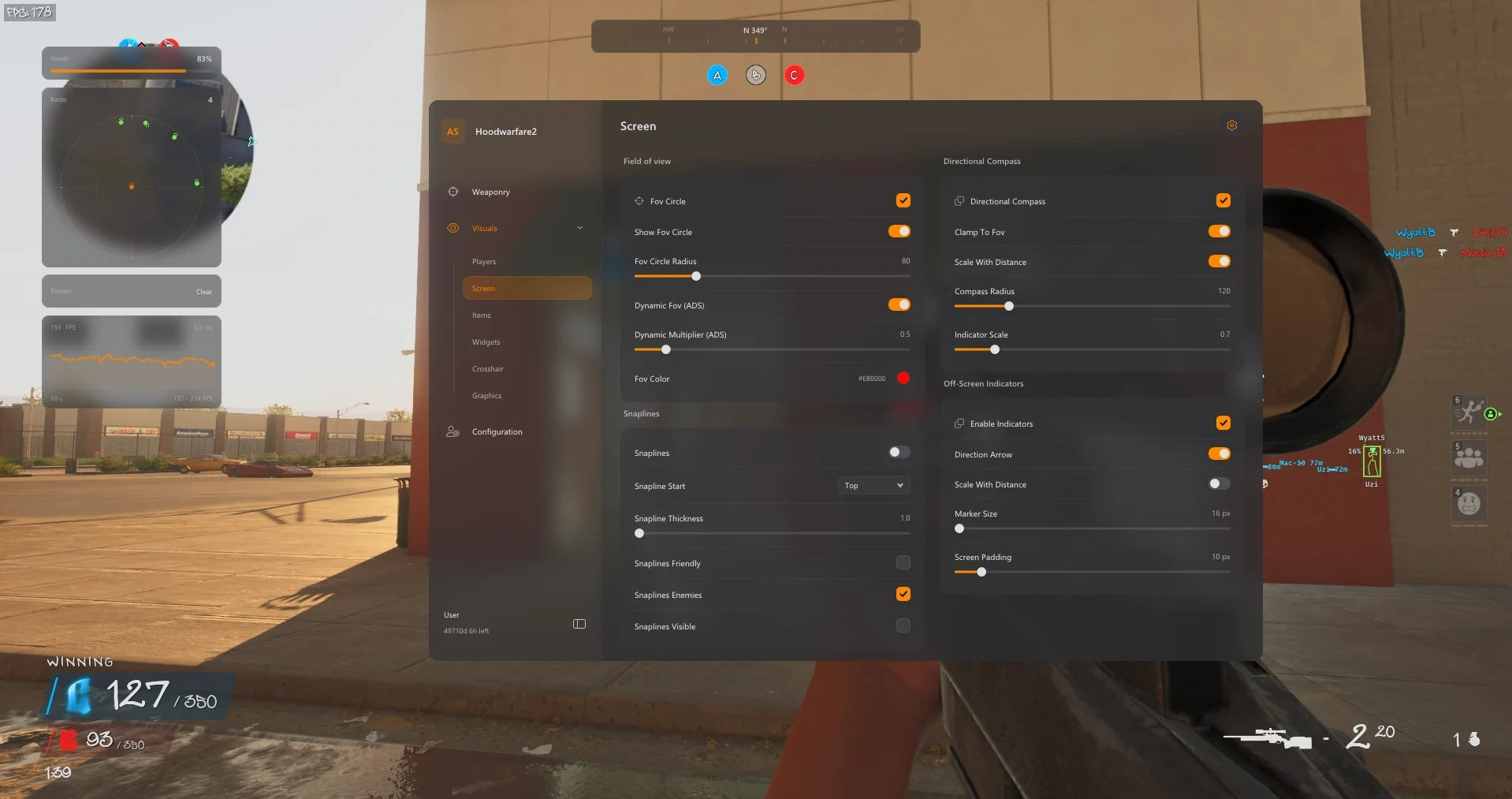
- - Adjustable targeting FOV radius and colour
- - Dynamic FOV multiplier when aiming down sights
- - Outline, corner and filled boxes
- - Skeleton overlay
- - Player names and held-item labels
- - Distance labels
- - Health bar and health percentage
- - Team, enemy and self filters
- - Ignore non-visible players option
- - Player render-distance control
- - Friendly, enemy and visible-enemy colours
- - ESP preview with editable element placement
- - Weapon pickups
- - Ammo boxes and medkits
- - Objective and bomb markers
- - Bullet markers
- - Drive-by car markers
- - Suicide blast markers
- - Item names and distance labels
- - Outline, corner and filled item boxes
- - Item colour and maximum-distance controls
- - Radar size, scale and blip-radius controls
- - Directional compass
- - Compass bar with player and team markers
- - Off-screen direction arrows
- - Distance-scaled indicators
- - Marker size and screen-padding controls
- - Friendly, enemy and visible-player snaplines
- - Threat-warning widget
- - Bunny Hop with configurable keybind
- - In-game music playback
- - Previous, next, pause, resume and volume controls
- - Movable Music Player widget
- - Bullet tracers starting at the weapon muzzle
- - Customisable tracer colour, thickness and duration
- - Optional impact markers with custom colour
- - Sun Color, Fullbright and No Fog
- - Fullbright brightness slider
- - Lighting on the right side of Miscellaneous
- - Camo selector with Off, Automatic Cycle and Selected Camo modes
- - Adjustable camo cycling interval (0.1–15 seconds)
- - Speed editor with 1×–9× multiplier
- - Custom crosshair with presets
- - Crosshair colour, gap, length and thickness
- - Crosshair rotation controls
- - FPS counter and frame-history graph
- - Equipped-weapon and loaded-ammo widgets
- - Healthbar widget
- - Widget opacity and layout reset
- - Enable or disable graphics overrides
- - Disable film grain
- - Disable chromatic aberration
- - Disable motion blur
- - Disable depth of field
- - Camera field-of-view override
- - Save named configurations
- - Browse and load saved profiles
- - Delete custom profiles
- - Default profile retained
- - Separate aim and visual setups
Official support
ENGINESOFT
Order support
Issues with your order?
Need help with setup, access or an order question? Reach the official ENGINESOFT community for fast support and product assistance.
Order help
Setup guidance
Updates
Join Discord
Have your order reference ready.